
AI in graphic design
AI in Graphic Design: How to Master Artificial Intelligence Before It Masters You
AI and the future
In this text, I am not writing about how machines will take over the world, but rather about how you, as a creative, can use tools like ChatGPT, Gemini, Midjourney, and others to work faster and easier. In this guide, I cover everything from how to write good prompts to how to keep a human touch in your work.
The Role of AI in Modern Graphic Design
We used to spend hours cutting out complicated hair in Photoshop. Today, you click a button and artificial intelligence solves it in a matter of seconds. That is the essence of the role AI has today: it is your assistant, and that is how it should be viewed.
Generative AI tools are not just "funny image generators." They have become a serious aid in the branding process, mockup creation, and even in UI/UX design. Instead of starting from a blank page, AI gives you a starting point. It serves for the quick visualization of ideas that would previously have required hours of sketching.
Where is AI most commonly used?
Generating images and illustrations: Creating unique images for a website or social media without the need for stock photos.
Photo editing: Smart filling (Generative Fill), removing objects, or extending the background.
Brainstorming ideas: Using ChatGPT or Gemini to generate campaign concepts or slogans.
Automation: Resizing visuals for different platforms with a single click.
Pros and cons: a realistic look at technology
Before I move on to the technical part, it is important to look at the bigger picture. Not everything is perfect, but the benefits are great if you know what you are doing.
Benefits (why you should use it)
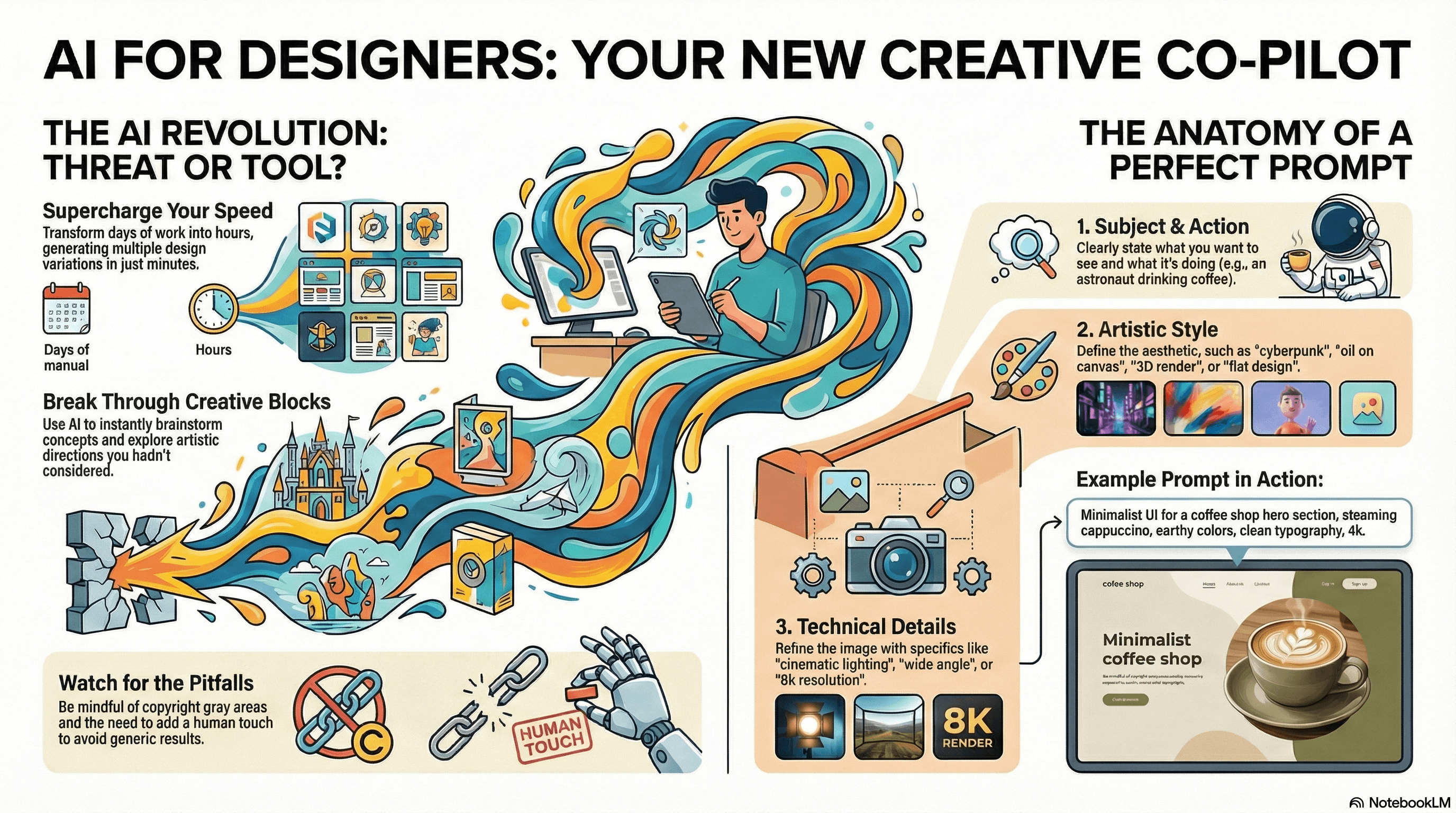
Speed: What used to take you days can now be finished in a few hours. Does the client want several variations of a logo in a "steampunk" style? You can have the first sketches in about ten minutes.
Inspiration: Creative block is easier to overcome. One good prompt can open up directions you hadn't even thought of.
Cost reduction: Less need to buy expensive stock photos because you can generate the specific scenes you need.
Cons (what to watch out for)
Legal gray area: Copyright remains a big issue. Who owns the image generated by AI? You, the platform, or no one? Be careful with commercial use.
Lack of "soul": AI works can often look plastic, too perfect, or generic. They lack that human imperfection that gives design its character.
Hallucinations: AI still doesn't always know how to count fingers on a hand or correctly write text in an image (though this is rapidly improving).
Writing prompts: the result depends on the details
This is the key part. Your result is only as good as your prompt. Many designers give up because they type "draw me a cat" and get a bad result. The details make the difference.
The formula for a good prompt
To get what you envisioned, your prompt should contain the following elements:
Subject: What do you want to see? (e.g., an astronaut).
Action/context: What is the subject doing? (e.g., drinking coffee on Mars).
Artistic style: (e.g., cyberpunk, oil painting, 3D render, flat design).
Technical details: Lighting, camera angle, resolution (e.g., cinematic lighting, 8k, wide angle).
Parameters (for advanced users): Aspect ratio (e.g., 16:9), level of stylization, etc.
These are simplified examples. Every prompt is a story in itself and depends on the situation. The more detailed your description of what you want, the better and more precise the image you will get.
Prompt examples and results
Here is how it looks in practice. You can try these prompts in tools like Midjourney, DALL-E 3, or Adobe Firefly.
Example 1: hero section for a website
Prompt: Minimalist UI design for a hero section of a coffee shop website, high quality imagery of a steaming cappuccino on a wooden table, earthy color palette, beige and dark brown, clean typography, whitespace, modern aesthetic, 4k resolution, 16:9
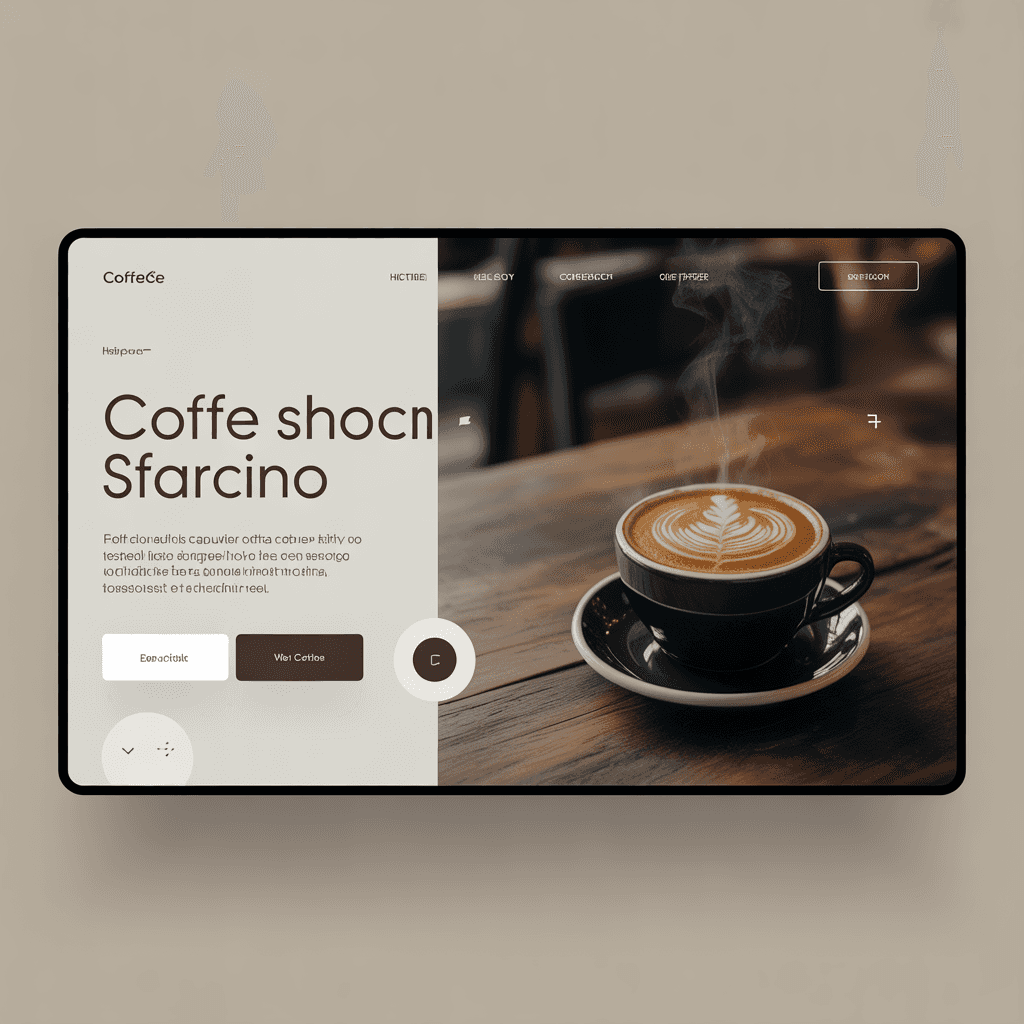
Expected result: You will get a clean, modern interface that can serve as inspiration, with coordinated colors and a focus on the product, without unnecessary elements.
Example 2: logo and branding
Prompt: Vector logo design for an eco-friendly tech startup named GreenCore, combining a leaf and a circuit board, simple, flat design, vibrant green and dark grey, minimalistic, white background
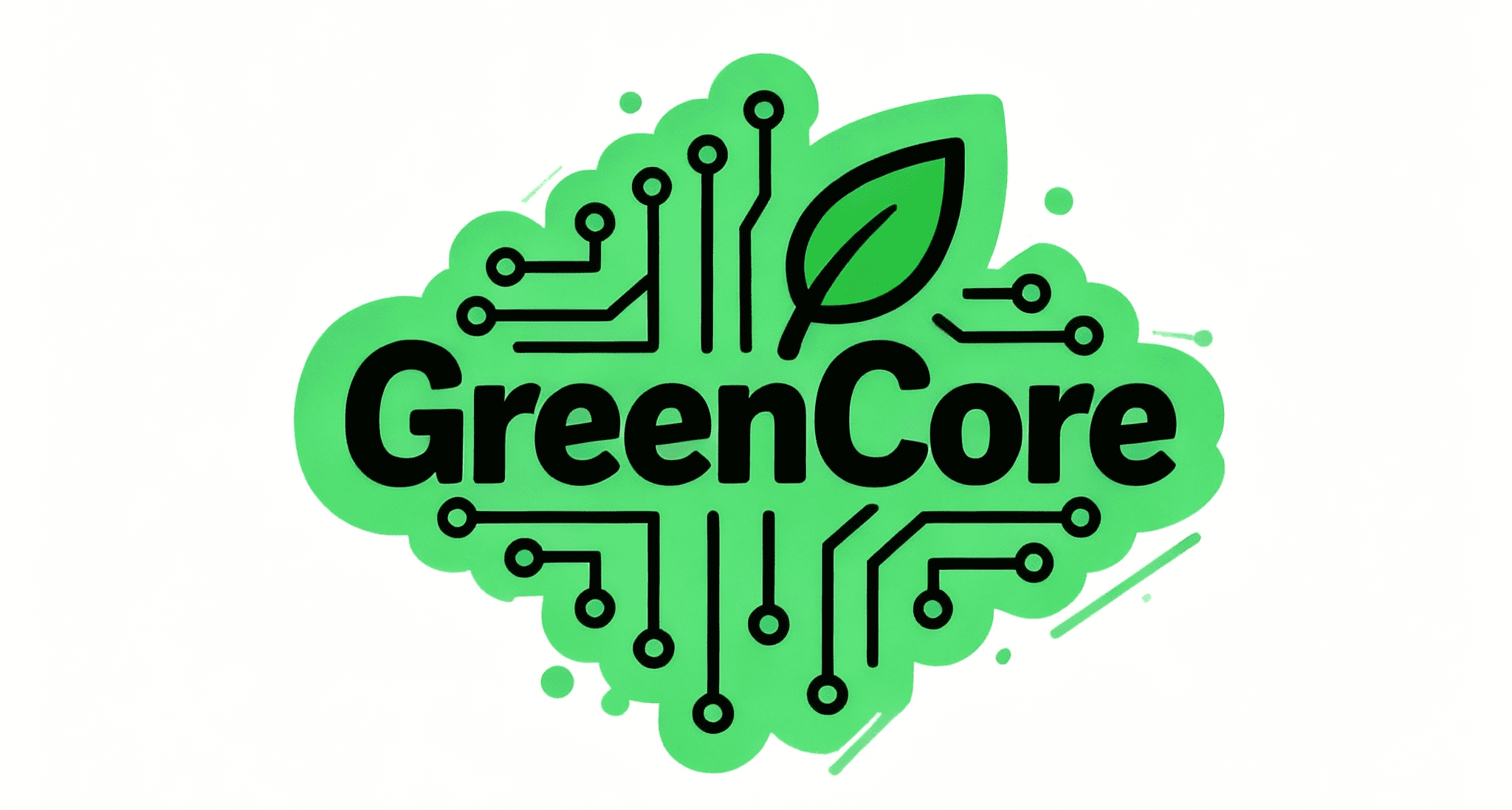
Expected result: A simple graphic mark that clearly communicates the union of nature and technology, ready for further processing in Illustrator. Here you can read more about how to make a good logo.
Such a mark is only a starting point, as a brand still needs a thought-out identity. If you need help with that, take a look at my branding service.
Example 3: futuristic illustration
Prompt: Cyberpunk street food vendor in Tokyo at night, neon lights reflecting in puddles, rain, volumetric fog, highly detailed, photorealistic, cinematic shot, 85mm lens.
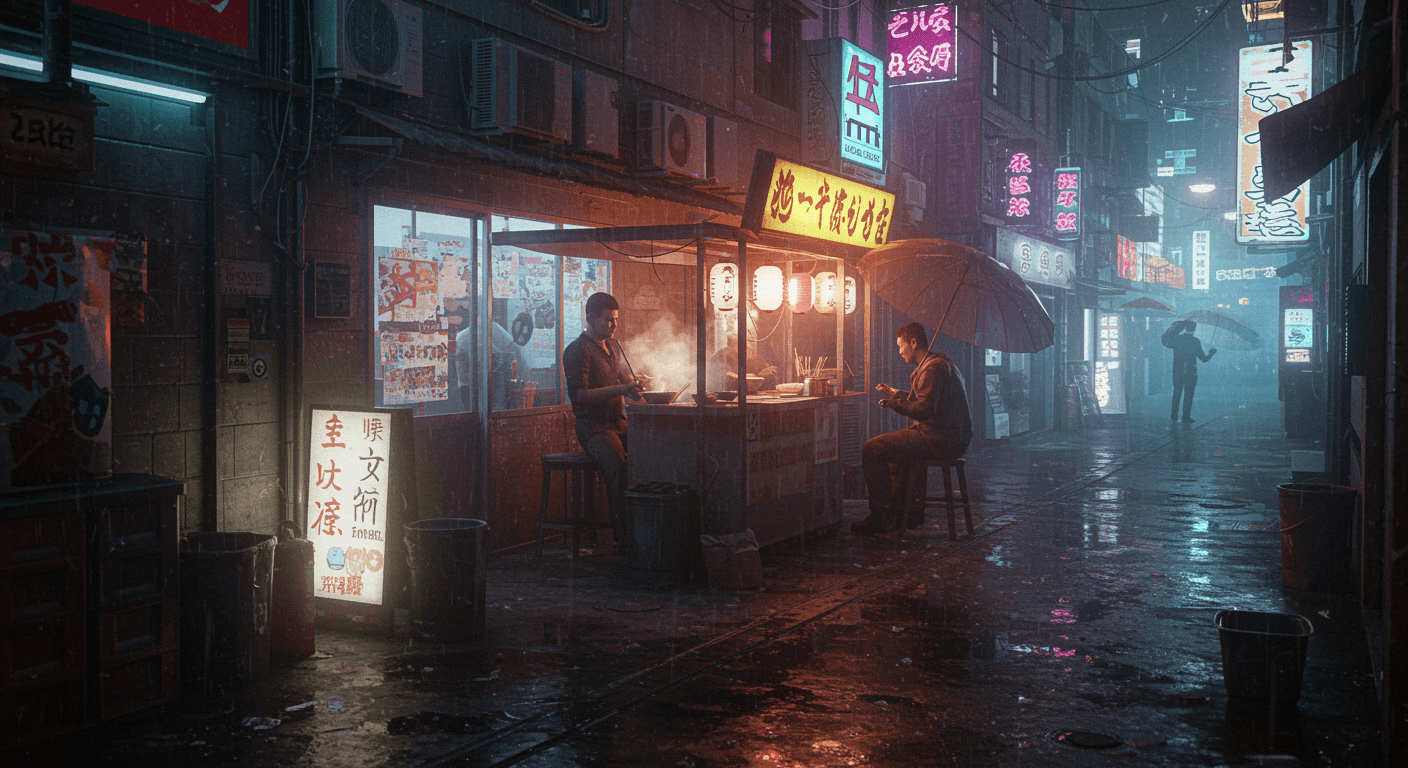
Expected result: An atmospheric, cinematic scene with plenty of detail, suitable for a mood board or concept art for a video game.
How to be consistent in AI design?
The biggest challenge for designers is consistency. How do you generate the same character in different poses or the same style of icons for an entire set? AI tools for graphic design often produce something slightly different every time.
The solution is to use references:
Image as a basis (image-to-image): Instead of just text, upload an image you have already made (or sketched) and ask the AI to use it as a basis.
Seed numbers: In tools like Midjourney, every image has its own "seed" number. If you use the same seed and change the prompt slightly, the style will remain similar.
Style definition: Be very precise in describing the style (e.g., instead of "cartoon style," write "in the style of 1990s Disney animation").
Text-based AI tools: ChatGPT and Gemini as preparation aids
Don't forget about text models. ChatGPT and Gemini are very useful in the preparation stage.
Writing briefs: Lack inspiration? Ask Gemini: "Act as an experienced art director and write me a detailed design brief for an organic juice brand targeted at Generation Z."
Generating prompts: If you don't know how to describe an image, describe it in your own words to ChatGPT and say: "Turn this description into a detailed Midjourney prompt."
What to pay special attention to (ethical and technical advice)
When working with AI tools, always check the details. Hands are a classic problem, as AI often adds a sixth finger. Text in generated images is often nonsensical, resembling distorted "lorem ipsum" text, so you will have to replace it in Photoshop.
Also, be transparent with clients. If a large part of the design was generated by artificial intelligence, it is only fair (and often contractually required) to point that out.
The future is in collaboration, not replacement
AI in graphic design is not a passing trend, but a tool that is becoming part of daily work. Designers who learn to use it will have an advantage in the years to come. Do not let fear stop you. Open Gemini, sign up for Midjourney, and start experimenting. You will see how much faster you can test and develop your ideas.
A practical example is the logo for Stop & Go.
The best design still comes from human empathy and understanding the problem. AI is only there to help you reach that solution faster.
Will AI replace graphic designers?
Not entirely. AI will replace designers who do not use AI. The tool is excellent for execution and variations, but human creativity, strategy, and understanding of client emotions remain irreplaceable factors of successful design.
What is the best AI tool for generating images?
It depends on the purpose. Midjourney is most often chosen for its artistic style, DALL-E 3 (integrated into ChatGPT) follows precise prompts well, and Adobe Firefly fits into existing workflows in Photoshop. Try the same prompt in two or three tools and compare the results.
Are AI-generated images protected by copyright?
In most countries, including the US and the EU, works generated solely by AI cannot be protected by copyright in the same way as human works. The situation is complex, and caution is advised when selling such works.
How do I write a good prompt for AI?
Be specific. Use the formula: subject + action + art style + lighting/camera + parameters. Instead of "dog", write "Golden retriever running through a sunflower field, photorealistic, golden hour, 4k".
Can I use AI for logo design?
You can use it for inspiration and ideas. However, AI generates raster images (pixels), while logos must be vector-based. Also, there is a risk that someone else may generate a similar logo. Use it for sketches, and finalize manually.

Senior UX/UI and product designer from Belgrade, with more than 10 years of experience. He has collaborated with clients such as MerchKing, Bex courier service, Balkan Group, Maeti, 502 Solutions, DataWiz, and many others. He holds Google and Adobe specializations and a Uxcel certification in UX/UI design.