
SimpleCRM: a smart CRM platform for growing businesses
Platform design
About the project
SimpleCRM is a simple and efficient CRM tool created for businesses that want to grow without complications. All important features (lead tracking, integration with advertising platforms, a powerful form builder) are available right in the starter package. An intuitive interface and a focus on conversions make it the ideal solution for small and medium-sized companies that want results without additional costs and technical barriers.

Project goal
The goal of the Simple CRM project was to develop a modern, intuitive, and accessible CRM platform designed for small and medium-sized enterprises, with a focus on ease of use and efficient management of leads and advertising campaigns. The platform was meant to eliminate the typical barriers that users face with traditional CRM solutions - complex processes, overloaded functions, and high costs - and offer a tool that combines all key functionalities in a clean, user-friendly environment.
Through UX design, the aim was to enable quick navigation within the system, clear presentation of information, easy access to essential actions, as well as fluid integration with platforms like Google, Meta, and TikTok Ads, without the need for additional technical knowledge or external tools. An additional focus was on the scalability of the solution where the platform grows alongside the user, without imposed limitations or unnecessary upgrades.
Color palette
The design of Simple CRM features a palette that combines professionalism and dynamism, with clear visual guidance for users through the interface.
Zinc and Slate Shades - have been used as a foundation for a neutral and balanced background, providing good readability and visual consistency. Variations of these colors have also been used for buttons to avoid distracting attention from the data within the CRM.
Blue and Orange - are used as accent colors and as colors for specific CTA elements.
Red - is used in signaling messages and warnings, highlighting important statuses or errors without disturbing the overall visual balance.
This color combination allows for easy navigation, clear hierarchical structuring of content, and a pleasant user environment.
Typography
The font Inter has been chosen for this project, a modern sans-serif typography created with a focus on readability and digital environments. Inter is specifically designed for user interfaces, making it an ideal choice for a complex application like a payment processing system.
UX design for Simple CRM
As the lead UX designer on the Simple CRM project, my goal was to design a platform that is powerful in the background yet easy to use. I focused on creating intuitive flows and clean interfaces that eliminate the typical complexity of CRM tools - no complicated pipelines and no need for additional training. From integration with advertising platforms to a powerful form builder, every function is carefully designed to enable small and growing businesses to easily collect and track leads, as well as better optimize campaigns - without additional costs and complex setups.
UI elements
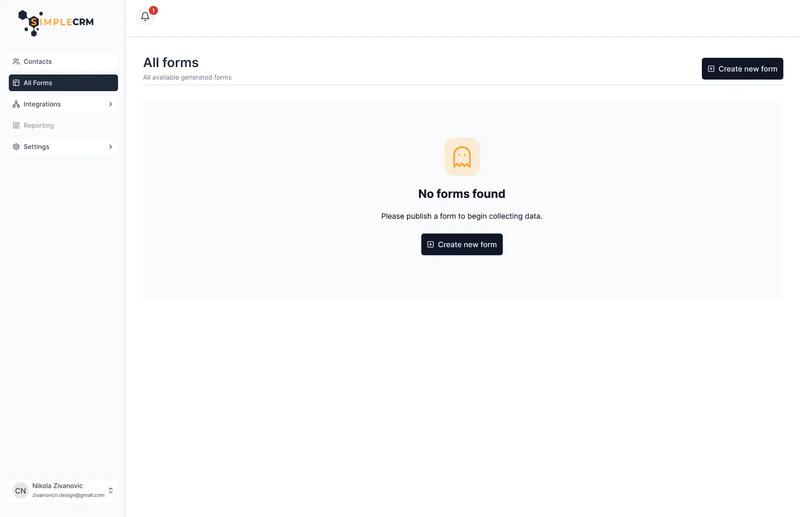
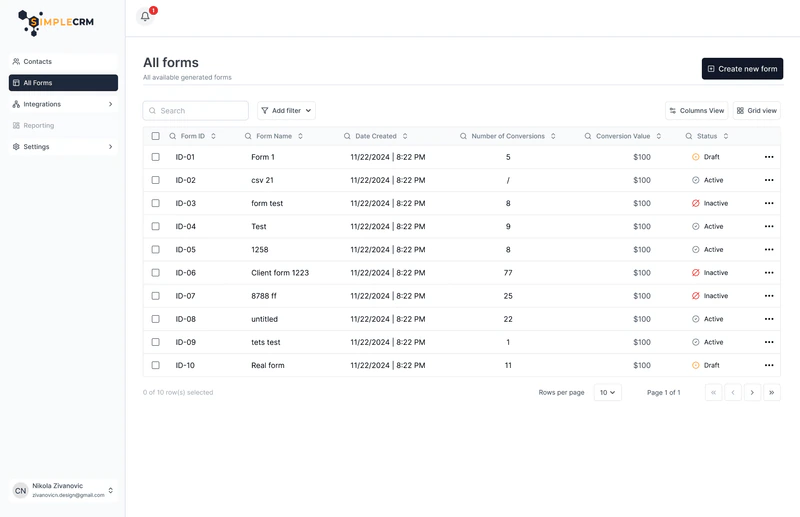
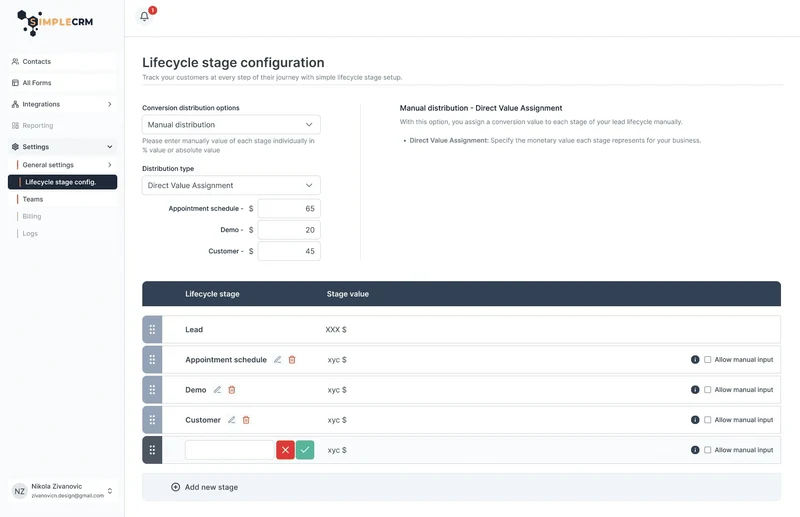
The interface is carefully designed to provide a clear display of data through clear and functional tables, with a special focus on consistent user experience even when the tables are empty. In cases where there is no data entered yet, users are shown informative empty states with a clear call to action. The button to create a new form or contact is always easily accessible and clearly highlighted, allowing for a seamless workflow and encouraging users to interact without unnecessary wandering through the interface.
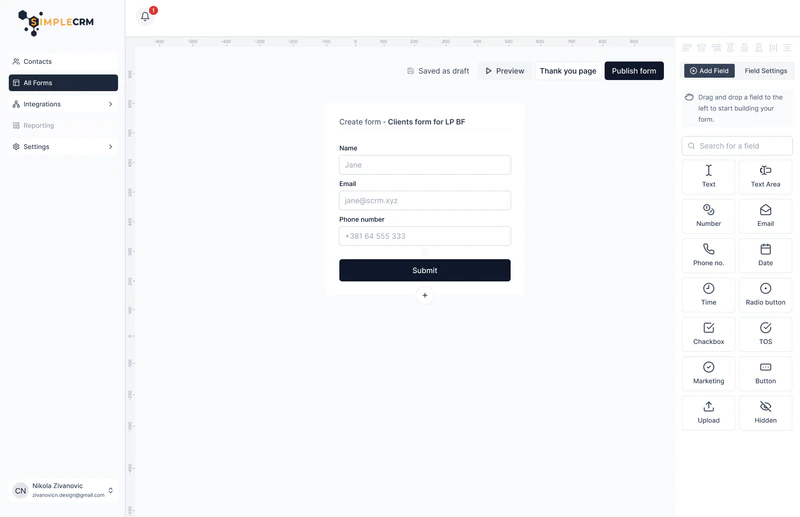
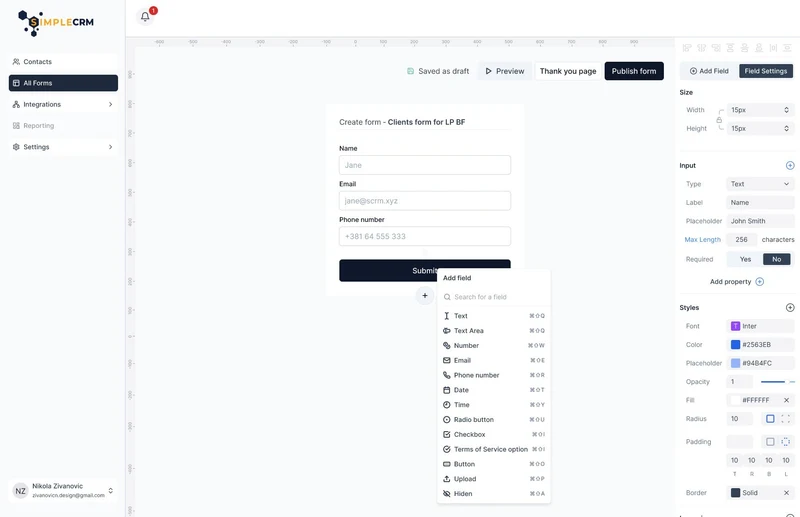
The form generation system is designed to meet the needs of a wide range of users - from beginners who want quick and easy form creation, to advanced users who value detailed control over every segment. The form builder interface allows for the quick setup of basic elements using a drag-and-drop mechanism, while also providing options for advanced configuration of each input, enabling high flexibility and customization to specific business needs.
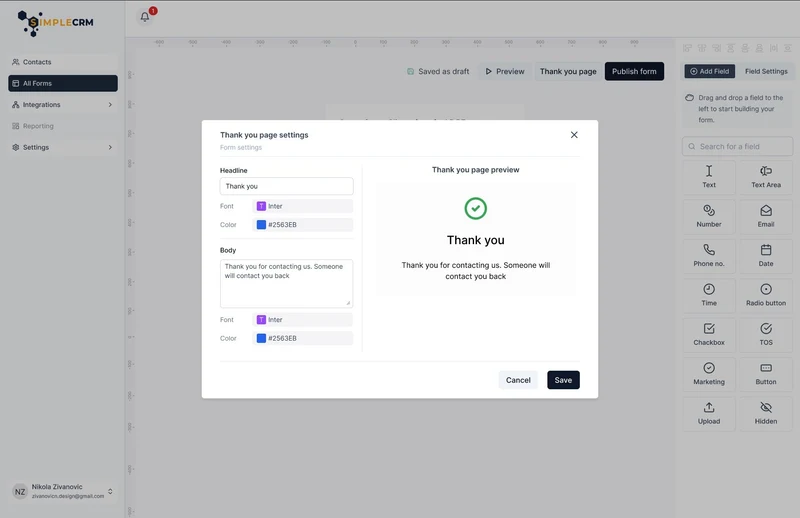
The lead display page is designed to provide a comprehensive overview of information about each contact, with a clear focus on the availability of key data at a glance. Users can easily access all relevant information without the need for additional searching or leaving the page. The platform automatically records all user interactions and logs them within the Activity section, where a single click can provide a more detailed view of each individual action. By integrating with an email address, it allows for sending and receiving messages directly from the CRM, further speeding up communication and eliminating the need for external tools.
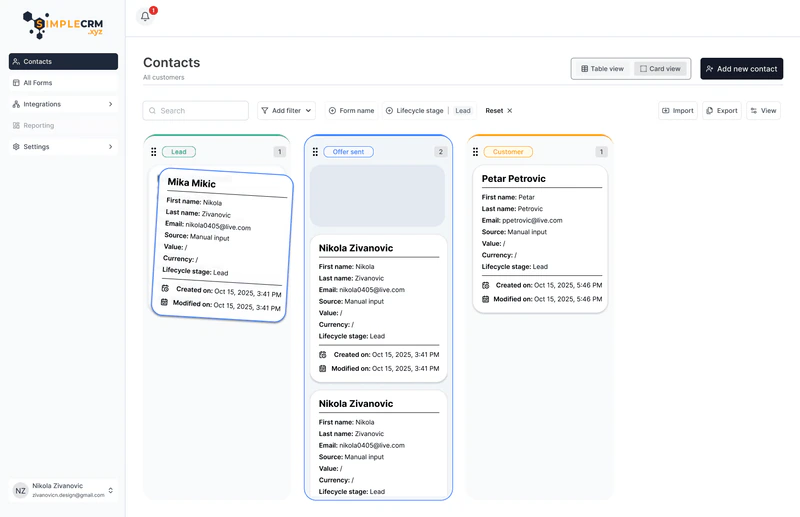
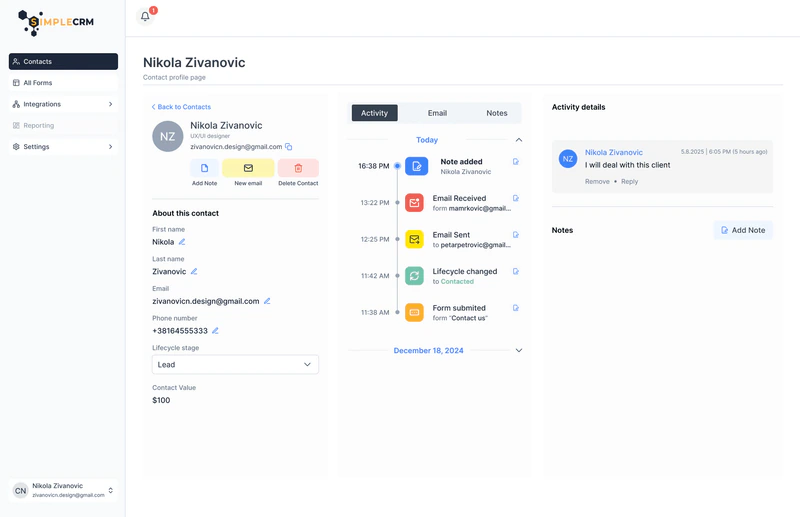
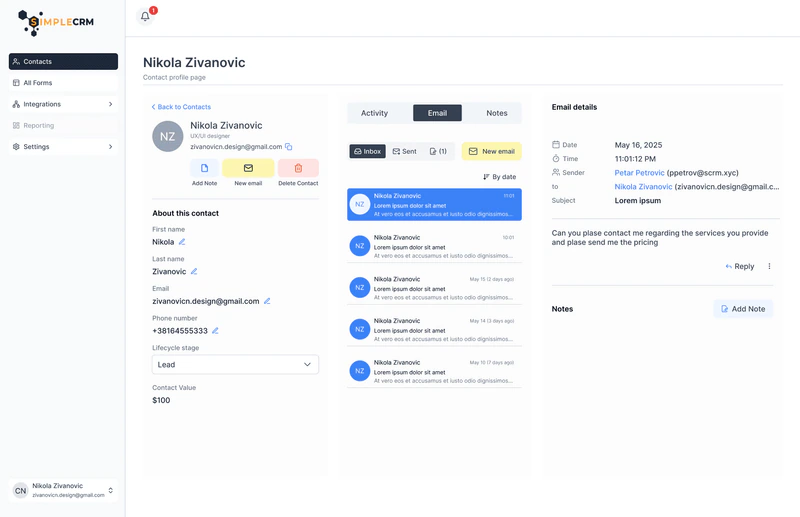
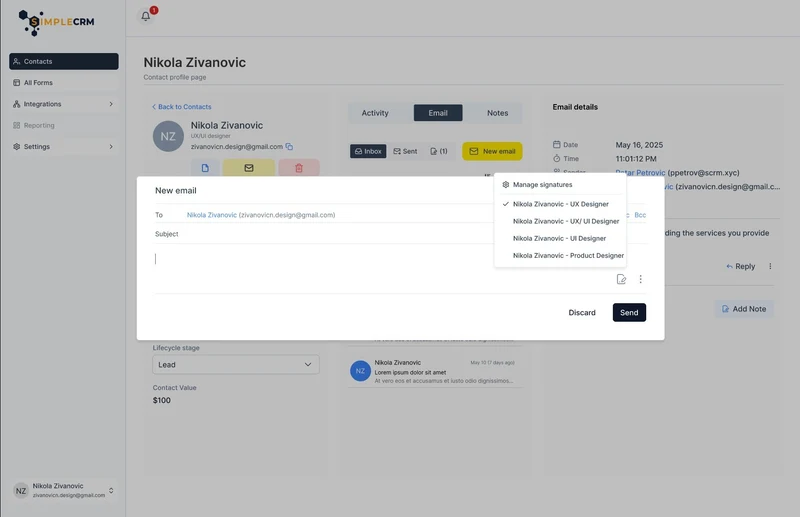
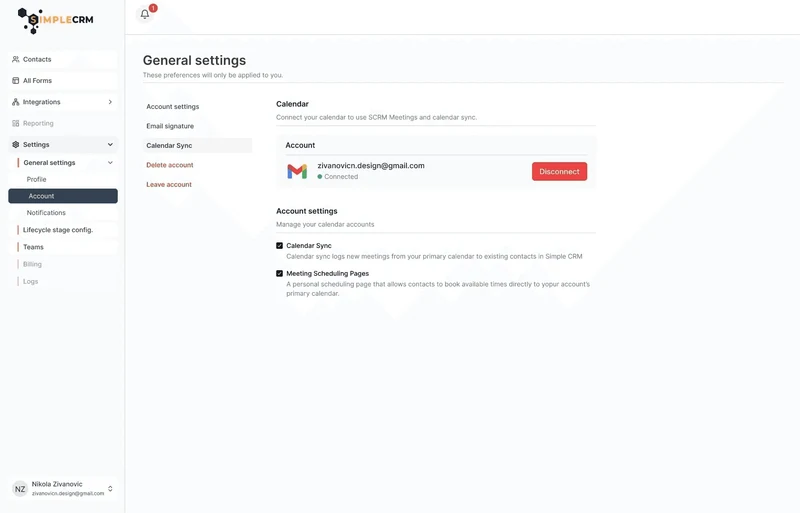
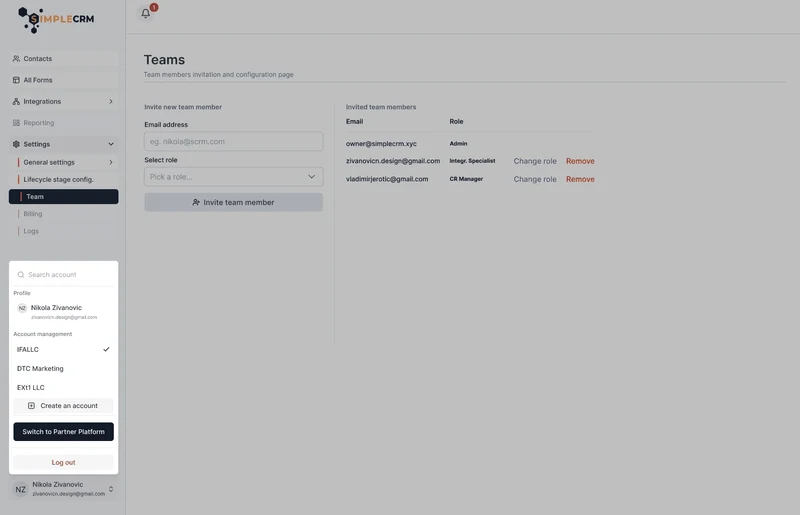
Special attention has been paid to ensuring that all elements of the platform are intuitive and easy to use, without unnecessarily complex processes that would slow down the user's work. Each functionality is designed to naturally guide the user through the interface, enabling quick adoption of the system even without prior technical knowledge. Microinteractions are carefully defined and technically precisely implemented to further enhance the user experience, providing visual and functional feedback at the right moments, creating a sense of fluidity and reliability when working with the platform.
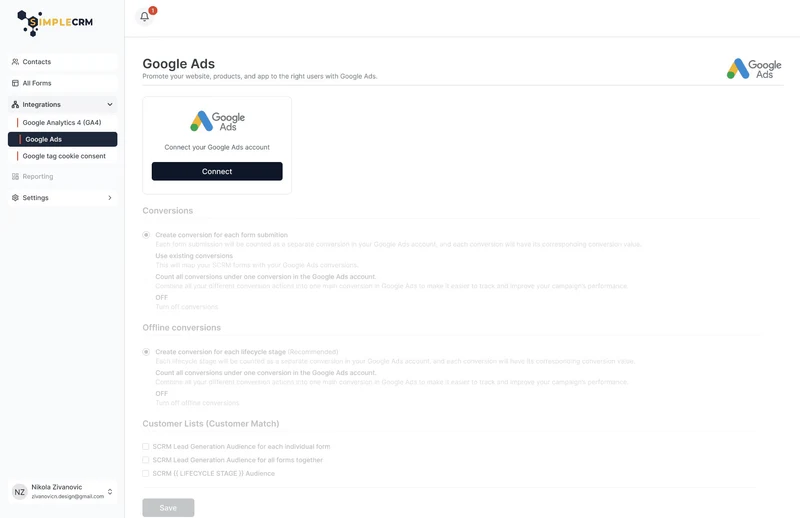
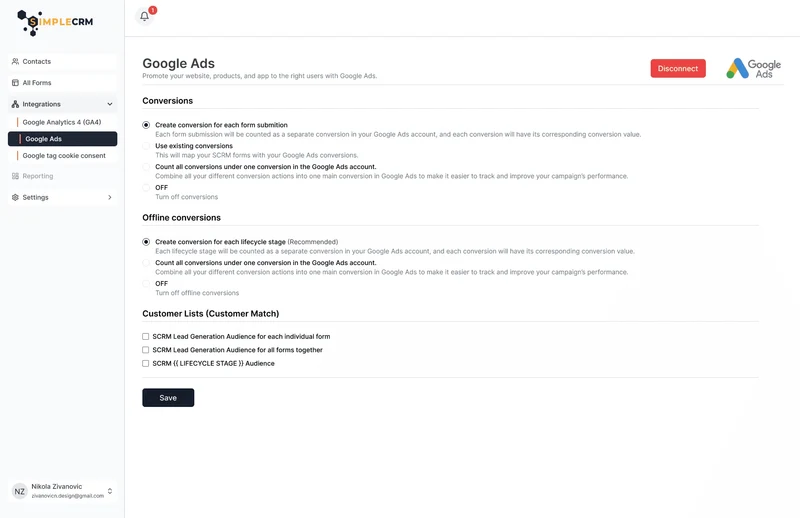
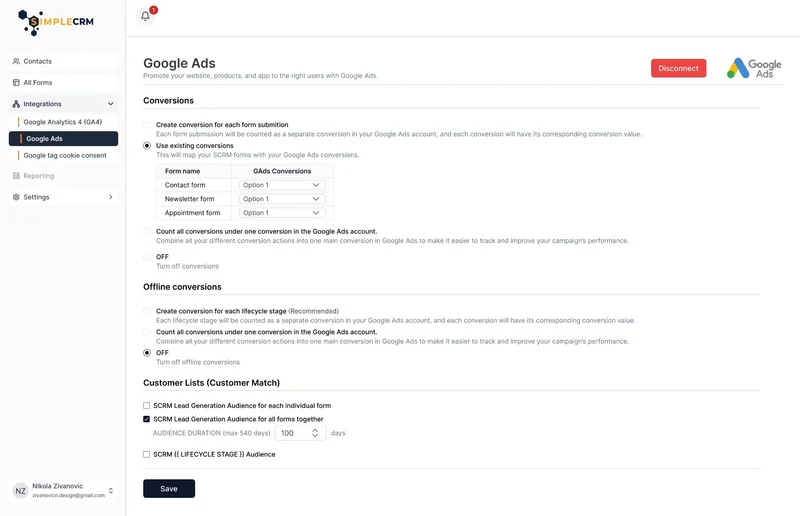
This project represents the result of thoughtful and strategic UX design aimed at creating a digital product that truly meets the needs of end users. Throughout every segment of the interface - from simple contact management, through intuitive form creation, to smart integration with advertising and email platforms - I was guided by the principles of clarity, efficiency, and consistency.
My goal was to demonstrate that complex systems do not have to feel complicated when well designed. I believe that Simple CRM is a prime example of how the balance between rich functionalities and a simple user experience can be successfully achieved through careful planning, user empathy, and good collaboration with the team. This project is another step in my professional development, but also a confirmation of the importance of UX in creating digital solutions that have a real impact on users' business.